
Runs in your browser
Three AnovaBuy tools: a tick-list, a warehouse clock, a line finder
Everything runs in your browser. Nothing is sent anywhere, and the tick-list remembers your progress on this device only.
The full tick-list
How to use this tool: tick each box once you have checked it on the AnovaBuy screen named on the card. The bar and the line under it update as you go and point at the next open check. Ticks made on the home page or in the handbook chapters show here too, because they share one saved list. Reset clears every box for your next order.
Tick the first box on the Account card to begin.
Day counter for In Stock goods
How to use this tool: enter the day your order line turned to In Stock (the warehouse records it as Warehoused). It returns the last day to ask for a no-reason return, the day free storage ends, and, if you plan to pay for more time, the new end date and the cost.
Results show here.

The figures behind it: five days for a no-reason return, ninety days of free storage, and CNY 10 per product ID per month for extra time, at most six months per request. All three come from AnovaBuy's help center as of October 23, 2026.
Line finder
How to use this tool: set the destination, then the parcel weight. It lists the lines AnovaBuy quoted for general goods when we replayed its Freight Estimate on October 23, 2026, cheapest first, with the delivery days AnovaBuy states. Treat it as a shipping estimator for planning only; the quote on your own parcel decides.
Results show here.
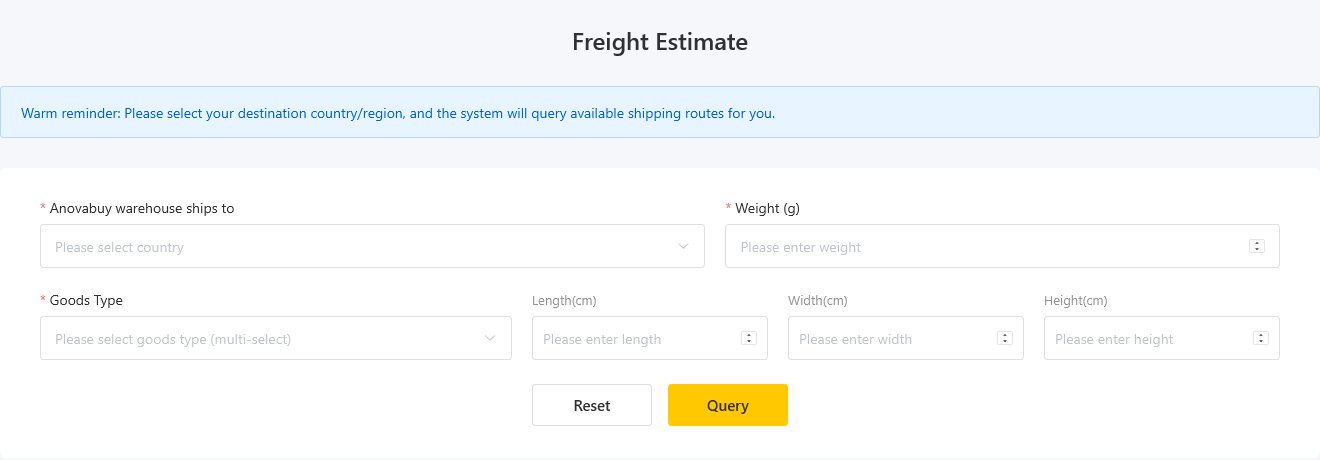
Five line names came back in Chinese only; we translated them and marked them. The list includes lines for battery goods and perfume because AnovaBuy returns every line for the destination. Pick by what your parcel contains, not only by price. For dimensions and other goods types, use AnovaBuy's own form, which also asks for length, width and height to account for volume.